

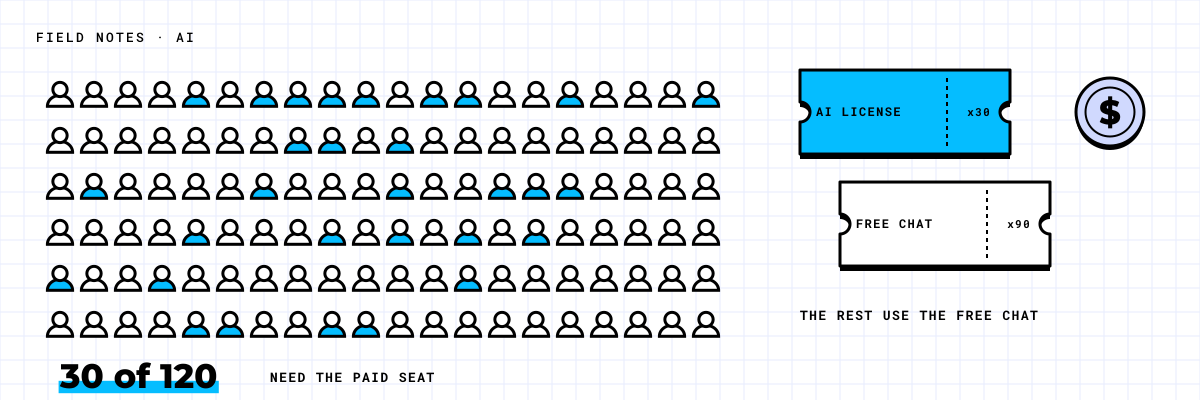
A common pattern: a company buys a paid AI seat for everyone, announces it with some fanfare, and checks usage three months later. A handful of people use it every day. A larger group tried it once or twice. Most never opened it. The invoice, meanwhile, arrives every month for the whole headcount.
The tool is rarely the problem. The problem is that the buying decision was made by headcount instead of by role.
What the free option already covers
Microsoft 365 business plans now include a free AI chat that uses web data and can work with files a person shares into the conversation. For casual use, that covers a lot: drafting an email, summarizing a document someone pastes in, rewording a paragraph, answering a general question.
What the free chat does not do is reach into a person's mailbox, calendar, Teams meetings and SharePoint files on its own. That grounding in your own work data is the main thing a paid Copilot seat adds. It is valuable, but only for people whose day is mostly made of those things.
Copilot is not the only option either. Claude and ChatGPT both offer business plans, and for some jobs they are the better tool. Long-form analysis, working through large documents, and writing or reviewing code are examples where teams often prefer one of them. We choose by the job, not by the brand on the rest of the stack.
Which roles get their money back?
The paid seat earns its cost when someone spends most of the day in documents, email and meetings. That usually means:
- Executives and managers who sit in back-to-back meetings and need summaries and follow-ups.
- Project managers who pull status from email threads, files and meeting notes every week.
- Sales and account staff who write proposals and client emails all day.
- Finance and operations staff who assemble reports from several sources.
It earns less for people whose work happens mostly outside Microsoft 365: field staff, warehouse and production teams, and people who spend their day in a line-of-business system. The free chat is usually enough for them.
In one scenario, a 120-person distribution company was quoted paid seats for everyone. After sorting by role, 30 people clearly qualified. The yearly spend dropped by roughly three quarters, and the people who got seats actually used them, because they were chosen for a reason.
Enter your own headcount by role to see a starting recommendation.
The planner uses list prices. Check your current agreement, since pricing and bundles change and many companies have discounts they have forgotten about.
Is your content ready for it?
A paid seat that can search everything a person has access to will find everything a person has access to. If a salary spreadsheet sits in a folder shared with "Everyone," the AI will happily surface it to anyone who asks the right question. It is not doing anything wrong. It is showing you a permissions problem you already had.
Before buying, check three things about the content the paid seats will reach:
- Safe: sensitive folders such as HR, payroll and board material are shared only with the people who should see them.
- Labeled: confidential content carries a sensitivity label so it is handled accordingly.
- Current: old drafts and outdated policies are archived, so answers come from the version people actually use.
If your content is not ready, fix access first and buy seats second. A few weeks of cleanup costs far less than one confidential file surfacing in the wrong summary.
Start with a pilot group
Rather than a company-wide rollout, pick 10 to 20 people from the roles above. Give them the seats, a short session on what the tool is good at, and a simple way to report what saved them time. Check usage at 30 and 60 days.
By the end of the pilot you will know which roles use it every day, which tasks save the most hours, and whether a different tool fits some teams better. Then expand to the people who will use it, and nobody else. Adding seats later takes minutes. Clawing back unused ones usually waits for the next renewal.
If you want to see which of your people would benefit and whether your content is ready, book the Scan. It is a 30-minute call where we look at your Microsoft 365 with you and put numbers on it.