

Permissions and sharing
We find out who can open what across your Microsoft 365, including links shared outside the company, and close the gaps that matter most first.
- CarlWhy can the summer student open the board folder?
- PaigeSomeone shared it with everyone in 2019.
- CarlWhat else did they share?
How it works.
- 01Read every permission
Every site, Team and drive, including the old sites nobody remembers.
- 02Flag what is open too wide
Shared with everyone, links with no expiry, guests who never left.
- 03Rank by risk
Payroll, HR and board files first, then everything else.
- 04Fix it with the owners
Each change agreed with the person who owns the site, so nobody loses what they need.
This is the real app. Click around.
The same code that runs in a client’s SharePoint, on made-up Tab & Shift data. Nothing you do here leaves your browser.
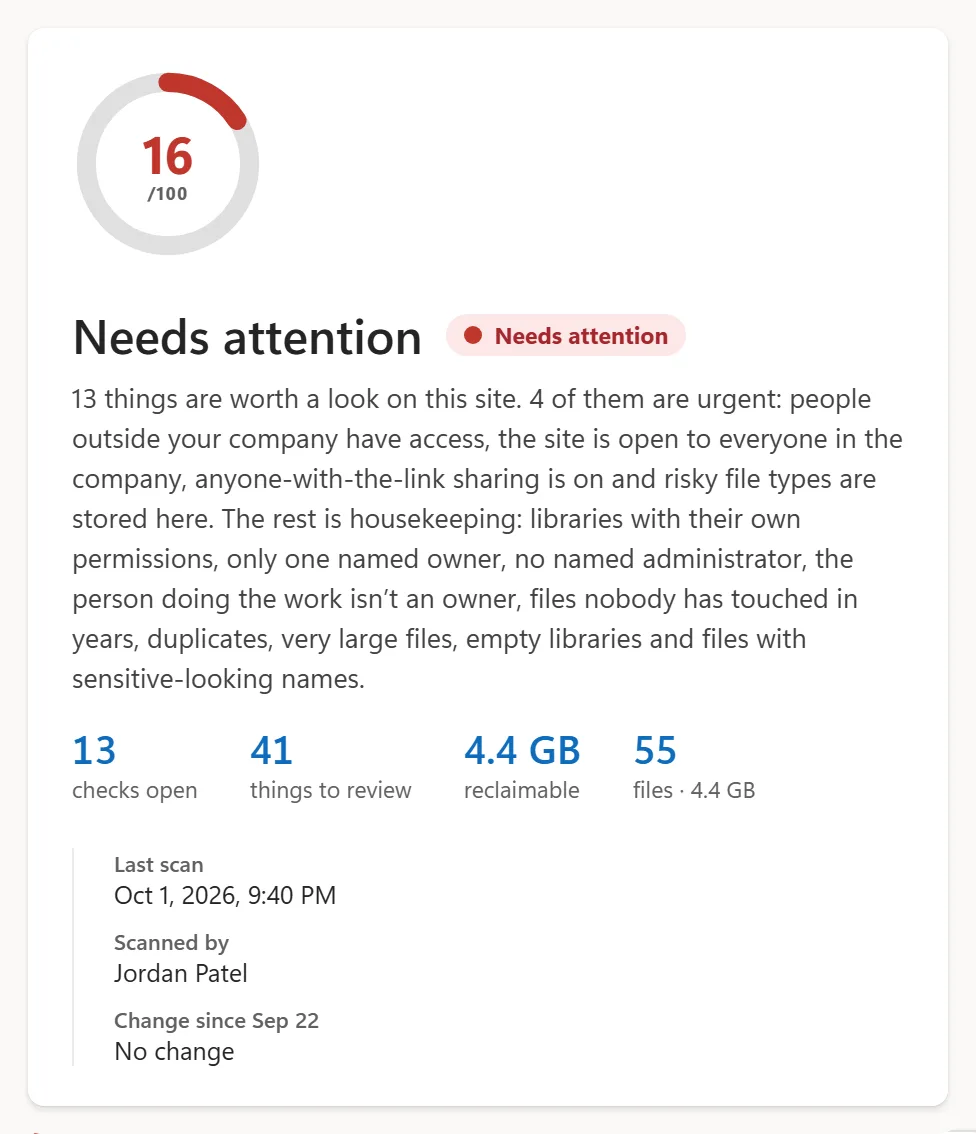
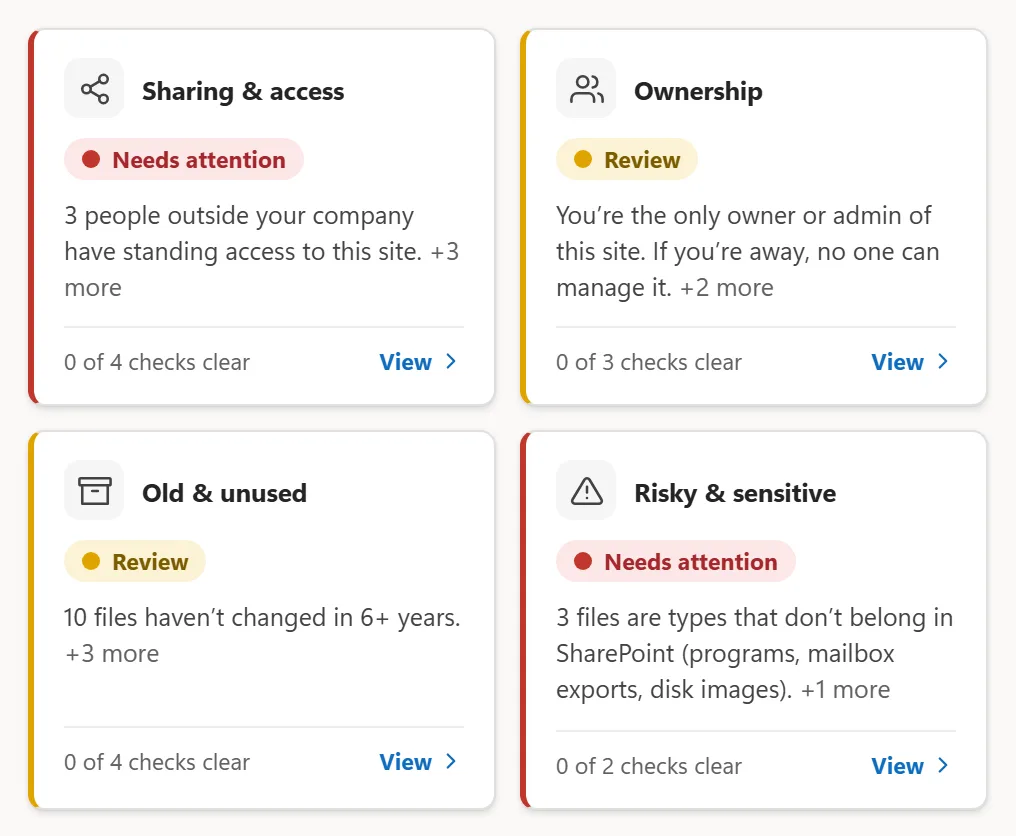
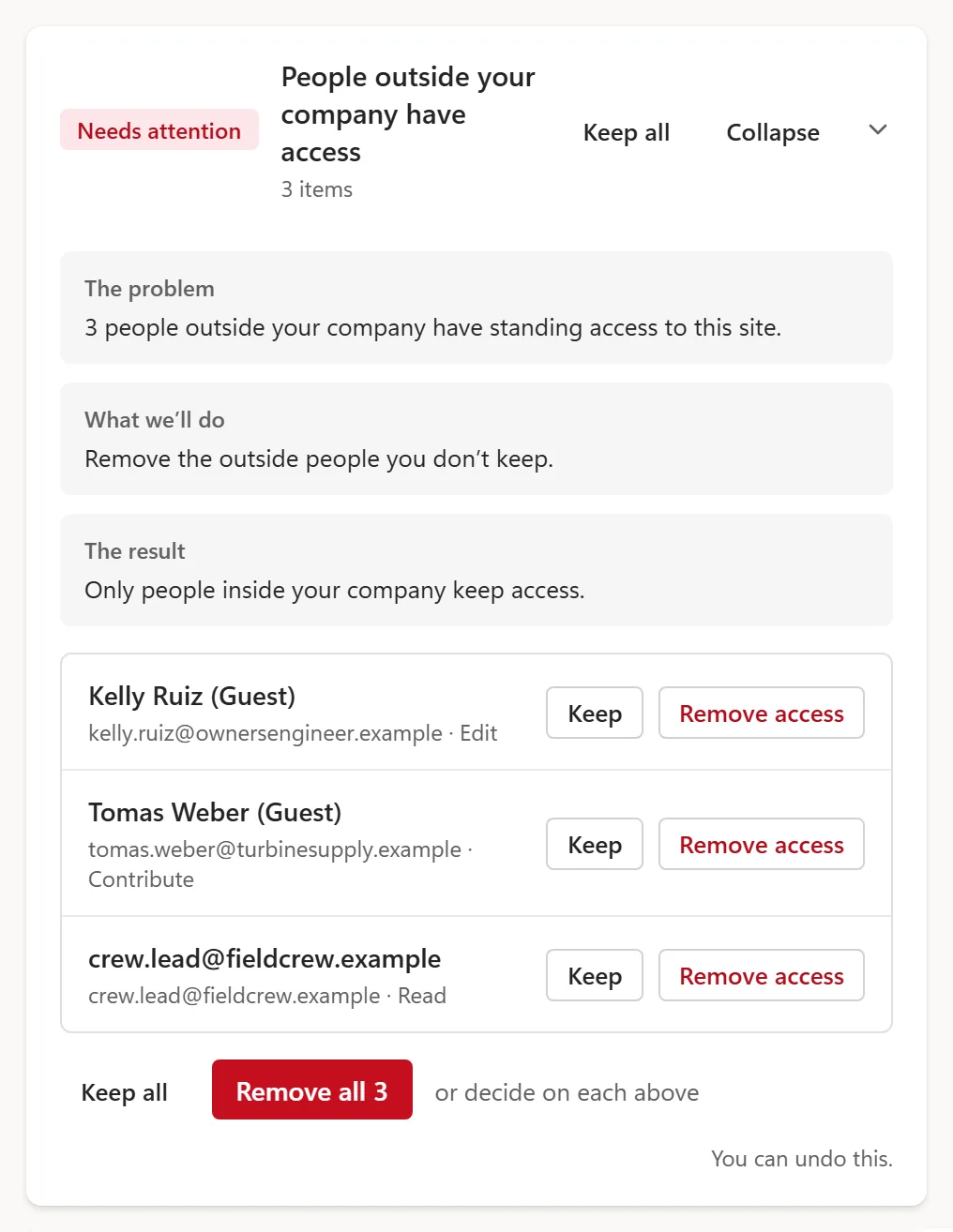
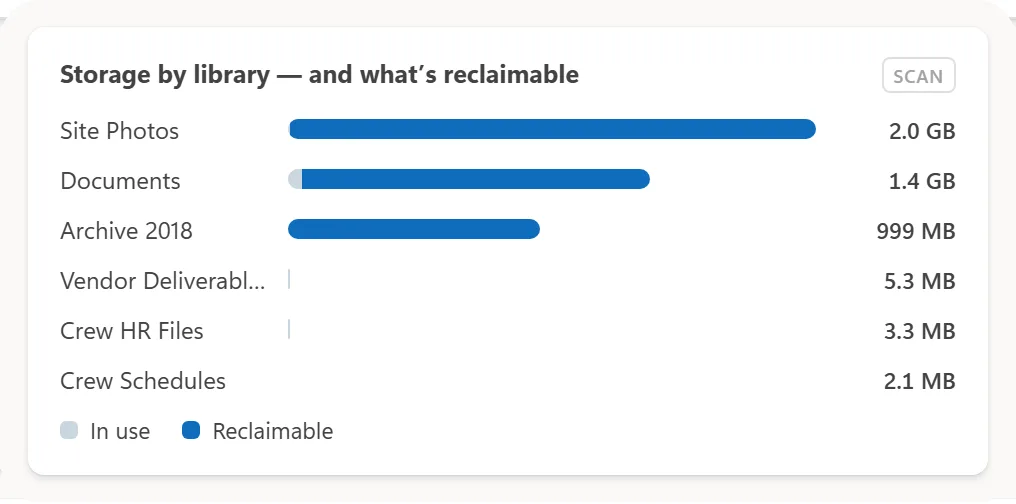
Best on a laptop or larger. On a phone, open it full screen.
What the work looks like.
What to fix first and why.
Open the sample Case study · client unnamedA manufacturer finds out what Claude would see before connecting it.A metadata-only scan of about 240,000 files, eight maturity scores, a boundary design for Claude and a fix list in five workstreams.
Read the case studyWhat people ask.
Do you open our files?
No. Permissions are read from the settings, not the documents. We only open content if you ask us to.
Will people lose access they need?
Every change is agreed with the site owner first, and anything removed by mistake can be put back in minutes.
What about guests and outside links?
Every guest and every outside link is listed with who added it and when, so you decide what stays.
Book the Scan.
Thirty minutes on a call. We tell you how we would start.